
Collaborative Travel Planner vs Google Docs for Group Trips
A practical guide to when a shared Google Doc stops working for group trip planning, and how a collaborative travel planner keeps decisions, places and pace in one trip plan.
6 min readTriplore
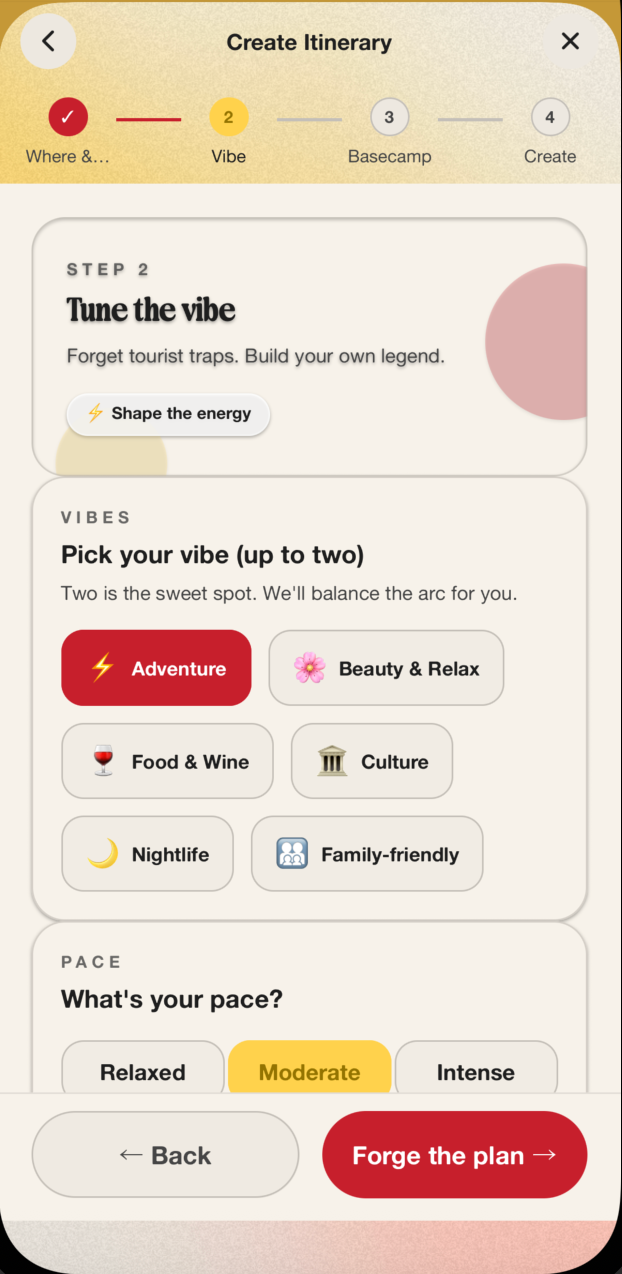
A shared Google Doc is fine when a trip is still loose: dates, rough budget, a few links, someone's restaurant shortlist. It starts breaking when the group needs decisions. A collaborative travel planner gives the trip a shared structure: places, comments, edits, pace, budget and itinerary days in one plan instead of scattered notes.
Use the doc for early dumping. Move to a planner when people need to agree on what is happening, where it sits in the day and who is still objecting in the group chat.
Why groups start in Google Docs
Google Docs wins because everyone understands it. Someone opens a file called "Lisbon ideas", drops in flight options, adds a few TikTok links, then invites the rest of the group. For the first hour, that feels productive.
The problems arrive later:
- the same cafe appears under three different headings
- one person edits the plan while another is still commenting on an old version
- saved places sit beside booking notes, jokes and budget concerns
- nobody knows whether an idea is confirmed, rejected or parked
- the final itinerary still has to be copied into a map, calendar or WhatsApp message
Reddit travel threads keep surfacing the same workaround pattern: people use Docs, Sheets, Google Maps saved lists, Notion boards and dedicated itinerary apps depending on where the trip starts to hurt. That is useful signal. Travellers are not short of places to store information. They are short of clean ways to turn group opinion into a usable plan.
Where a collaborative travel planner earns its place
The switch matters when the trip stops being a list and becomes a negotiation.
For a four-person city break, the group needs to decide whether Friday night is a proper dinner or a soft landing after work. On Saturday, one person wants museums, another wants food markets, and someone else has saved six bars from TikTok. A document can hold those ideas, but it does not make the clashes visible.
A planner works better when it can separate:
- inspiration from confirmed stops
- comments from final decisions
- day structure from random links
- shared map context from free text
- pace, budget and vibe from isolated suggestions
Google Maps has moved further into shared planning too. Its product page now describes saved lists, place notes, reactions and voting for groups. That confirms the behaviour: people want to decide together around real places, not just paste links into a blank page.
Use a doc when the trip is still messy
A doc still has a job. It is good for collecting raw input before anyone knows what the trip is.
Use it for:
- open-ended destination ideas
- rough budget ranges
- flight screenshots and availability notes
- early accommodation research
- "I found this, do we care?" links
This stage should be allowed to be messy. If two friends are comparing Porto, Valencia and Bologna for a long weekend, forcing every thought into a day-by-day itinerary too early creates admin for no gain.
Set one rule: the doc is a holding area, not the trip plan. Once dates and destination are settled, promote the useful material into something the whole group can work from.
Use a planner when the group needs decisions
A collaborative travel planner is stronger once the trip has shape.
Move out of the doc when:
- the destination and dates are fixed
- people have started disagreeing about pace
- saved content is spread across TikTok, Maps, screenshots and messages
- someone needs to assign ideas to real days
- comments need to sit beside itinerary items, not disappear in chat
- the organiser is becoming the unpaid project manager
This is where Triplore fits naturally. It is built around collaborative, editable travel planning: shared itineraries, comments, TikTok-to-itinerary workflows, world maps and historical itineraries. The point is not to make the group abandon inspiration. The point is to stop inspiration becoming admin debt.
If you are still working through the basics, start with the group trip planning checklist. If the problem is saved content overload, use the guide on turning travel inspiration into an itinerary.
The clean workflow for a group trip
For most group trips, the best workflow is simple.
1. Dump ideas without judging them
Give people one place to add links, screenshots, food spots, hotel options and loose preferences. At this stage, the only goal is to see what the group actually wants.
For example, a Barcelona birthday weekend will produce different signals quickly: beach time, late dinners, football, vermouth bars, one good rooftop, and a hard budget ceiling from the person who already bought flights.
2. Agree the non-negotiables
Before building the itinerary, lock the things that shape every other decision:
- arrival and departure times
- budget ceiling
- sleep location
- one or two anchor activities
- pace of the trip
This stops the group from arguing about individual restaurants before the structure exists.
3. Move confirmed ideas into the itinerary
Once an idea has support, place it into the plan. A saved bakery becomes Saturday breakfast near the hotel. A museum becomes the first stop after lunch because it is near the neighbourhood people already want to explore.
This is the moment a collaborative planner beats a document. The idea now has context: day, area, order, comments and trade-offs.
4. Keep rejected ideas visible but out of the plan
Groups waste time when rejected ideas keep returning because nobody remembers the decision. Keep a parking area for good-but-not-this-trip suggestions.
That matters for repeat travellers. A skipped restaurant in Rome can become part of a future itinerary, especially if your app keeps historical trips and saved context rather than treating each plan as disposable.
5. Use comments for decisions, not chatter
Comments should resolve something. "Too expensive", "near the hotel", "book before we arrive", "save for Sunday if it rains" all help the plan move.
Chat still has a role, but the final decision needs to live beside the itinerary item. Otherwise the organiser ends up searching three apps to remember why the group chose the 8pm table.
What to look for in a collaborative travel planner
A good group travel planner should reduce coordination work, not add another dashboard for someone to maintain.
Look for:
- shared itinerary editing
- comments attached to the plan
- map-based place context
- support for saved social inspiration
- flexibility around budget, pace and trip vibe
- a way to revisit past trips and reuse good ideas
Avoid tools that only generate a pretty itinerary and leave the hard social decisions elsewhere. Group travel planning is partly logistics, partly taste, and partly conflict management. The product needs to respect all three.
When Google Docs is still enough
Do not over-tool a tiny trip. A doc is enough for a two-person overnight stay with one hotel, one dinner and one train. It is also enough when one person owns the plan and everyone else is happy to follow.
A collaborative planner becomes valuable when the trip has multiple voices. Friends, couples, families and birthday groups all create the same planning pressure: people want input, but nobody wants the job of translating every opinion into a clean itinerary.
The practical rule
Use Google Docs for the messy beginning. Use a collaborative travel planner when the group needs decisions, comments, maps and itinerary structure in the same place.
That handoff is where most group trips lose momentum. Triplore is designed for that middle stretch: turning saved ideas and group opinions into a plan people can edit, comment on and actually use once they arrive.