
Turn Travel Videos into Itineraries with Triplore
Learn how Triplore helps turn TikTok links, travel videos, saved ideas, and destination inspiration into structured itineraries automatically.
3 min readTriplore
Most travel inspiration now starts as a video. Someone sees a hidden restaurant, a scenic viewpoint, a city guide, a weekend route, or a creator’s “things to do” list and saves it for later. The problem is that saved content rarely becomes a real trip plan.
Triplore is built to close that gap: bring in the inspiration, extract the travel signal, and turn it into itinerary structure.
From social inspiration to trip structure
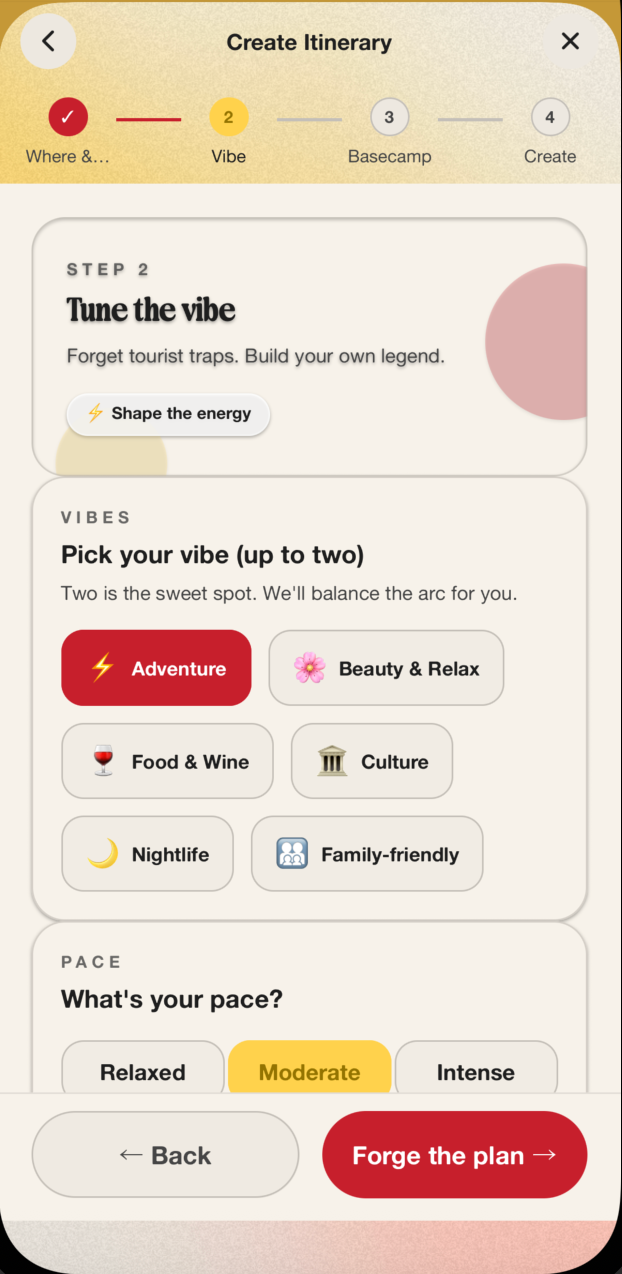
Travel videos are useful because they contain signals: destination, activity type, vibe, pace, food, scenery, season, and who the experience is best for. Triplore uses those signals to help create a starting itinerary instead of leaving the idea buried in bookmarks.
| Inspiration source | Useful signal | Itinerary output |
|---|---|---|
| TikTok travel video | Places, vibe, activities | Suggested stops and trip ideas |
| Restaurant clip | Food preference and location | Meal ideas in the plan |
| City guide video | Neighborhoods and highlights | Day-by-day structure |
| Friend recommendation | Group preference | Collaborative itinerary input |
Why automatic itinerary creation matters
Manual itinerary planning creates friction. Travelers save ideas because they are excited, then lose momentum when it is time to organize everything.
Triplore helps by creating the first version of the plan:
- Convert inspiration into destinations and activities
- Organize ideas around travel dates
- Match suggestions to budget, pace, and vibe
- Give groups a shared itinerary to review
- Keep comments and collaboration connected to the plan
A better workflow for modern travel planning
The Triplore workflow is simple:
- Add the destination, dates, and trip preferences.
- Bring in saved travel inspiration.
- Let Triplore generate a structured itinerary.
- Invite friends to view, comment, and collaborate.
- Use the plan before, during, and after the trip.
What Triplore can help organize
Triplore can support itinerary planning across different travel styles:
- Weekend breaks
- International trips
- Local day trips
- Group holidays
- Food-focused travel
- Adventure and activity-led trips
The goal is not to make people manually copy social media ideas into a spreadsheet. The goal is to turn inspiration into a usable trip plan automatically.
Frequently asked questions
Can Triplore turn TikTok travel videos into itinerary ideas?
Triplore is designed to help travelers use video-based travel inspiration as input for itinerary creation, turning saved ideas into a more structured plan.
What is an AI itinerary generator?
An AI itinerary generator uses trip details, preferences, and inspiration signals to create a draft travel plan automatically.
Why use Triplore instead of planning manually?
Triplore reduces the manual work of turning scattered ideas into a day-by-day itinerary and keeps the plan collaborative for friends.